

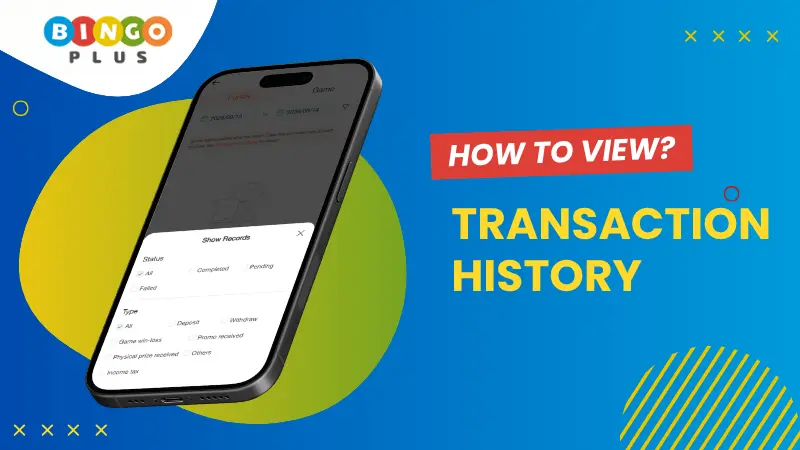
Your BingoPlus account allows you to review your recent transactions, including deposits, withdrawals, game records, and rewards received.
You can view transaction records from the past 30 days and use the available filters to find a specific type of transaction more quickly.
How to View Your Transaction History
To access your transaction history:
- Log in to your BingoPlus account.
- Go to the Account or Wallet tab at the bottom of the app or website.
- Open your Transaction History from your account or profile page.
- Use the available filters to select the type of transaction you want to review.
- Browse the transaction records shown for the selected period.
Transaction history is available for the past 30 days, so make sure to check within this period when looking for a recent transaction.
How to Check My Deposit History
To review your deposit transactions:
- Open Transaction History.
- Set the transaction type to Deposit.
- If available, select Completed under the transaction status.
- Review the displayed deposit records.
This allows you to see completed deposits recorded in your BingoPlus account.
How to Check My Withdrawal History
You can also use Transaction History to review your withdrawal records.
- Go to Transaction History.
- Set the transaction type to Withdrawal.
- Narrow your search results by selecting completed, pending, and failed transaction statuses.
- Review the withdrawal records displayed.
Using the transaction status filter can help you identify whether a withdrawal has been completed, is still being processed, or has failed.
How to Check the Result of a Specific Bet
To check the record or result related to a specific bet, go to Transaction History and use the available game or date filters to narrow down the records.
If the relevant game record is available within the past 30 days, you can review the corresponding transaction details from your account.
How to Check Points or Rewards to My Account
If you want to check whether points, rebates, or other promotional rewards have been credited to your account:
- Open Transaction History.
- Apply the transaction filter for Promotion Received.
- Review the displayed records.
This filter can help you identify promotional points, rebates, or other eligible rewards that have already been credited to your account.
What Should I Do If There Is a Problem With My Transaction History?
If you notice an incorrect transaction, missing record, unexpected amount, or any other discrepancy in your transaction history, contact the BingoPlus Customer Service Team for assistance.
Provide the relevant transaction details when contacting support. The customer service team can review the issue and provide the appropriate assistance.